01 · Windows diagnostic decision support
System Guard AI
Translating Windows system signals into plain-English guidance without changing the machine.
How can PC diagnostics help a non-technical user decide what to check next—without taking control away?
- Company context
- Founder, Point Zero AI
- My role
- Product direction, diagnostic UX, validation and implementation review
- Current status
- v1.8.5 · Closed-test build
- Development approach
- AI-supported implementation under founder-directed requirements, testing and validation.
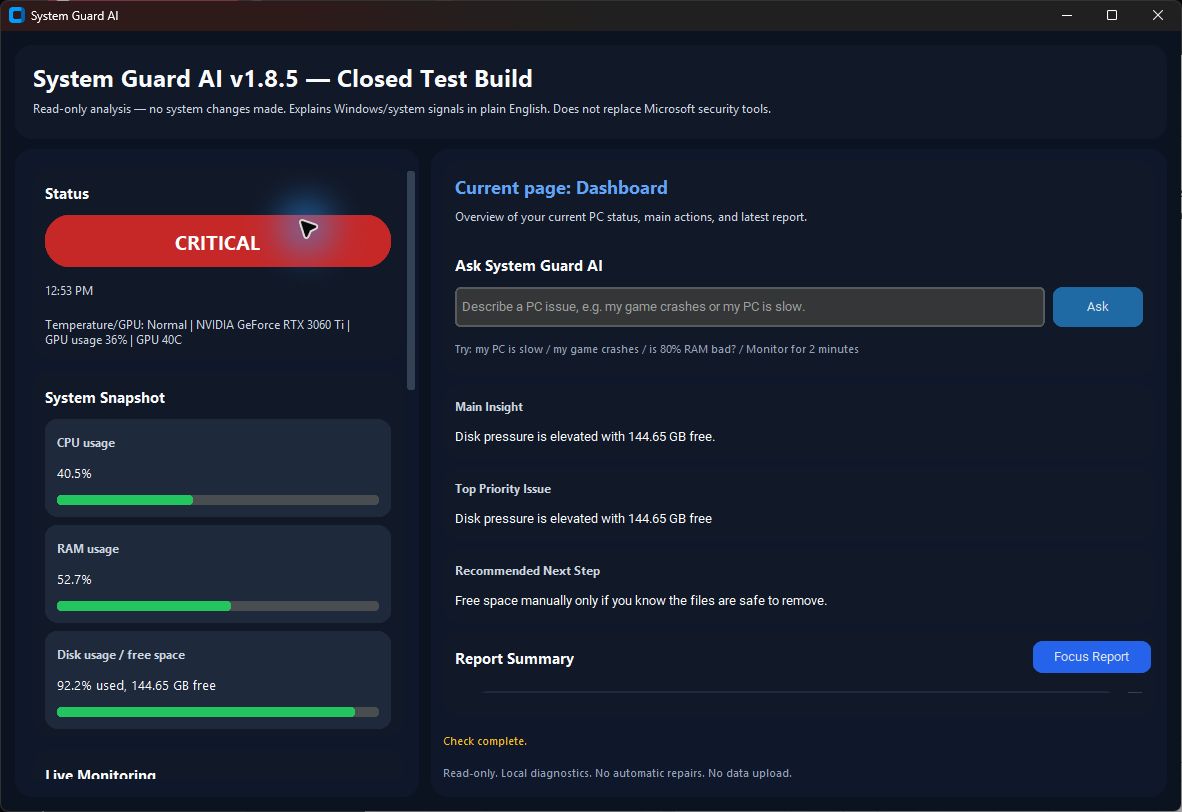
01 · Problem
The problem at the centre
Windows exposes useful performance and stability signals, but interpreting them often requires technical knowledge. A user facing a slowdown, crash or black screen needs a sensible first step—not another wall of telemetry.
How can PC diagnostics help a non-technical user decide what to check next—without taking control away?
Windows users who need calm, understandable guidance before deciding whether to investigate further or ask for technical help.
System Guard AI reads local diagnostic signals, identifies the most relevant issue, explains why it matters, shows supporting evidence and suggests safe manual checks. It never applies a fix on the user’s behalf.
Read-only: no file deletion, process termination, setting changes, driver changes or automatic repair.
02 · Product Direction
A product boundary before a feature list
System Guard AI reads local diagnostic signals, identifies the most relevant issue, explains why it matters, shows supporting evidence and suggests safe manual checks. It never applies a fix on the user’s behalf.
System snapshot
Reads CPU, RAM, disk, running-process and available hardware signals.
Slowdown diagnosis
Prioritises likely causes and identifies the most useful next check.
Plain-English reports
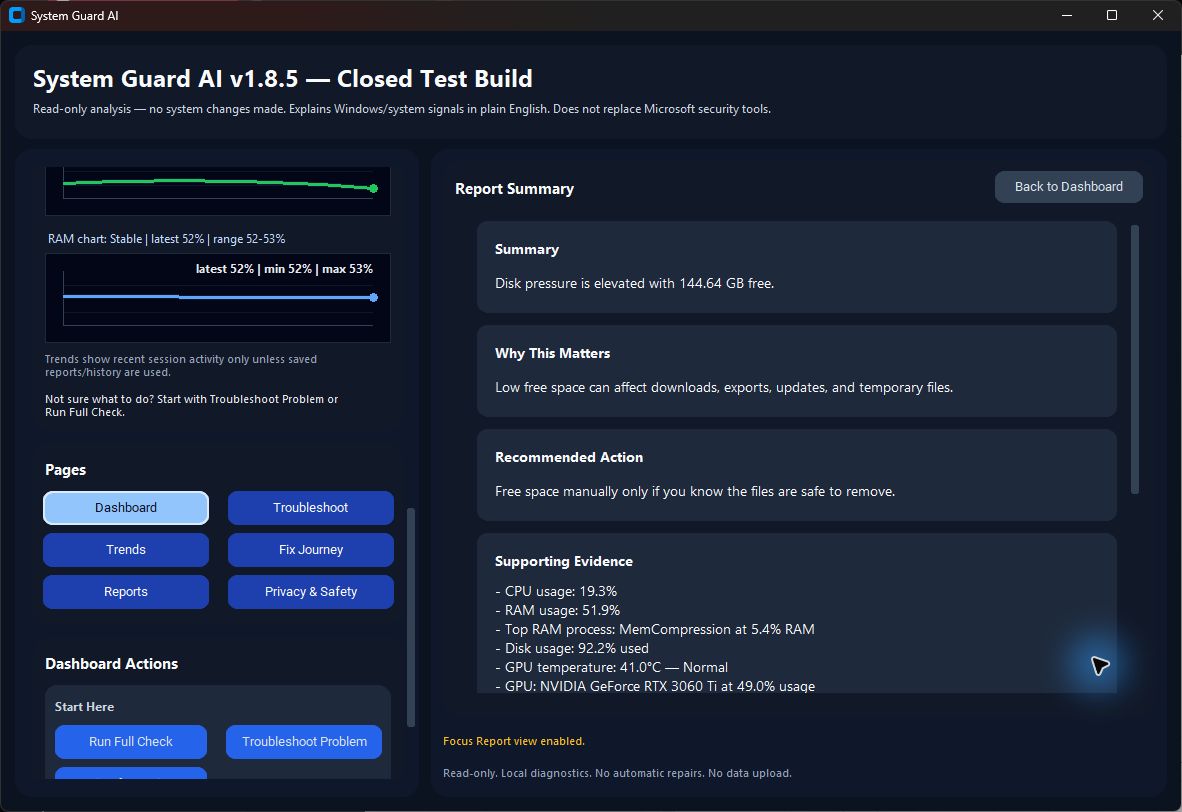
Structures findings as the main insight, why it matters, next step and supporting evidence.
Guided Fix + re-check
Provides issue-specific manual guidance and compares what changed after the user acts.
Monitoring
Supports live status updates and a user-triggered two-minute diagnostic session.
Local history
Optionally stores baselines, saved reports, settings and a troubleshooting timeline on the device.
03 · Process and Contribution
How I directed the work
- 01
Identified the trust problem around system utilities and set a read-only product boundary.
- 02
Defined the diagnostic hierarchy: priority issue, explanation, evidence, action and re-check.
- 03
Directed the desktop and CLI experience, including beginner and advanced reporting paths.
- 04
Directed implementation and code review while retaining product direction, acceptance decisions and final verification.
- 05
Reviewed the focused product test suite and validated the packaged Windows closed-test executable.
I used ChatGPT- and Codex-supported workflows to explore implementation, review code paths, investigate bugs and iterate on the desktop and CLI experience. I set the feature priorities and acceptance decisions.
The current 440-test suite checks diagnostic behaviour and safety boundaries. Early closed-test feedback and critical review helped move the experience beyond a raw diagnostic display toward explanation, Guided Fix, re-checks and monitoring.
The product evolved from presenting system data to helping non-technical Windows users understand what matters, why it matters and what they can safely do next.
04 · Testing and Validation
What supports the current status
Verified from the current local build and test suite.
automated tests passed
Executed locally against the authoritative source for this release.
current version
Confirmed in product version metadata.
Windows build
Packaged as a Windows executable for closed testing.
A functioning closed-test diagnostic product with a tested, explicit safety boundary. The current outcome is product readiness for closed testing—not automated repair or production-scale adoption.
05 · Product views
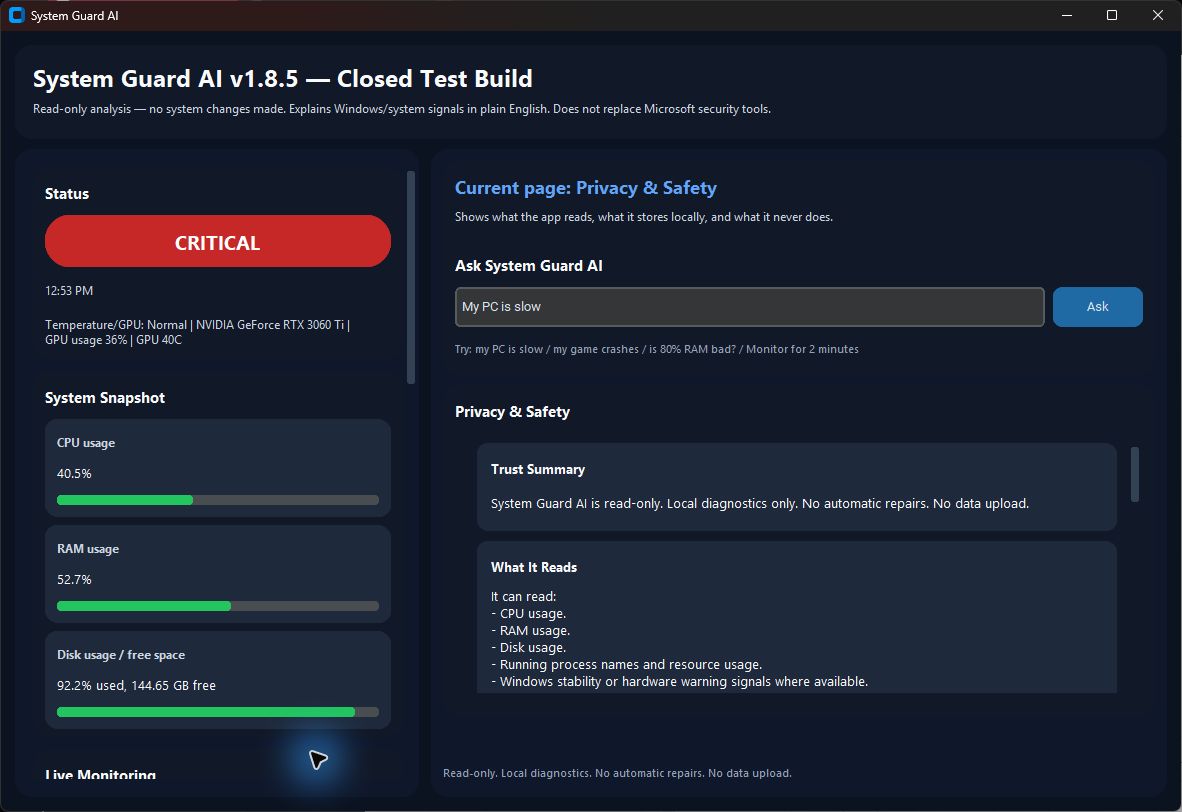
The product, in context.
Captured from the current closed-test build in a public-safe local state. No personal paths, machine names, credentials or account data are shown.
06 · System
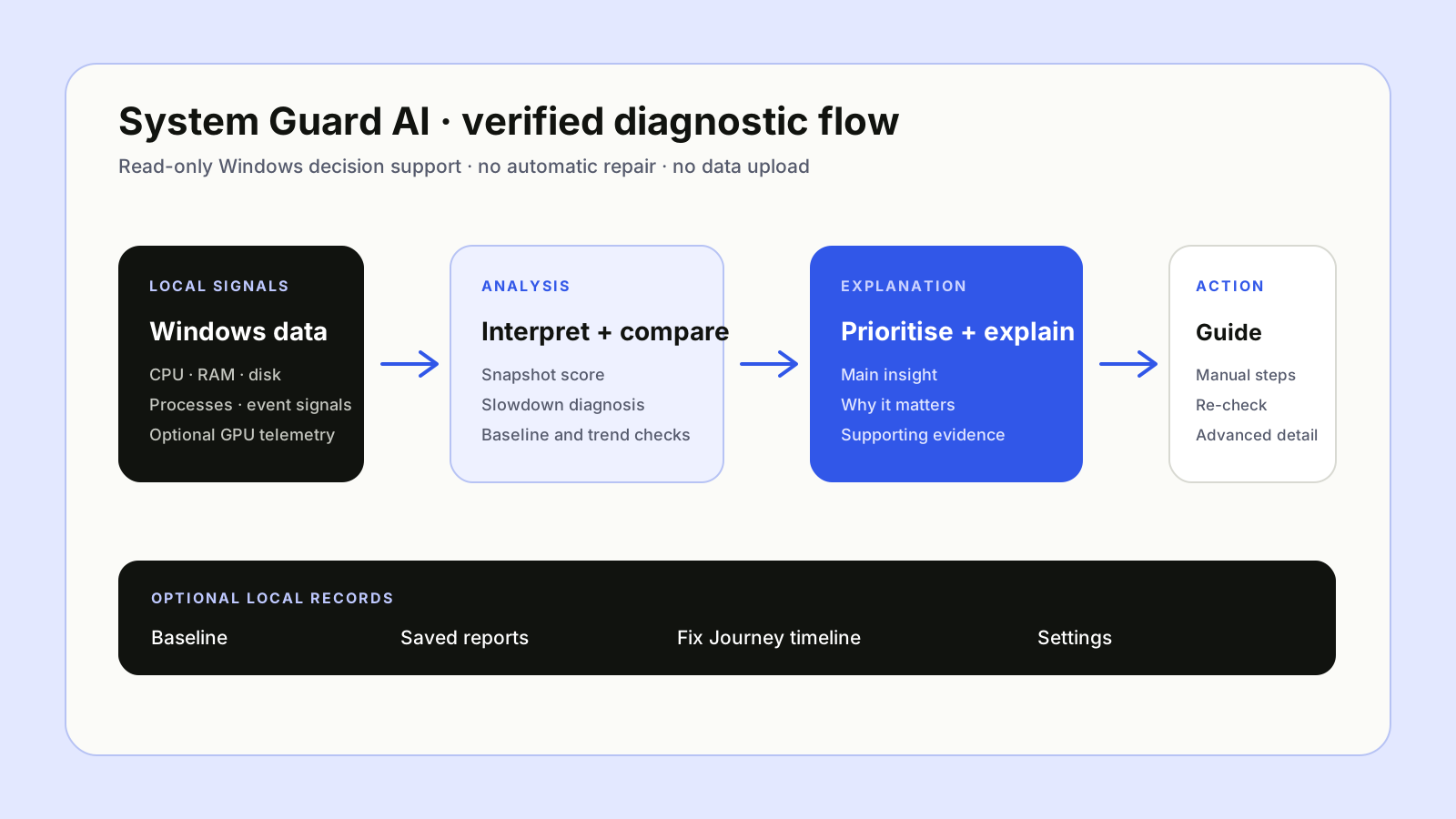
How the system supports the experience
Simplified from current source structure and architecture records. Sensitive implementation detail is intentionally excluded.
07 · Key Decisions
Boundaries that shaped the product
- Read-only: no file deletion, process termination, setting changes, driver changes or automatic repair.
- Local-only: no system-data upload and no access to documents, photos, emails, passwords or browser history.
- Diagnostic guidance is non-definitive and does not replace antivirus, Windows Security or professional repair.
- The Windows executable is unsigned and may trigger SmartScreen.
08 · Lessons Learned
What I will carry forward
Trust is a product requirement. The most important feature is often a clear boundary around what the software will not do.
A diagnostic score is only useful when it leads to understandable evidence and a proportionate next step.
Progressive disclosure lets beginners act without preventing technical users from inspecting the detail.
Technology
Tools used in the build
Technologies used in the current implementation.